Role: UX Designer
Client: Casa Areyto, for their conference, Taino Conference
Key Outcomes: Redesigned & created template of 3D artifact page to include 3D art experience & AR (augmented reality) experience.
Work can be seen at: https://www.tainoconference.org/kuba
Tools: Figma, Figjam, Notion, Google Drive, Fathom AI
Project Length: 8 weeks
Project’s Teams: UX Writing, UX Research, Product Management, Project Management, Development
UXD Team Structure: 5 designers, 2 team co-leads
60% of users were unsure they could interact with 3D model
60% of users interacted with 3D model, but expected more feedback
Few users noticed or used the download button
Make instructions on how to interact with 3D model more apparent
Help users understand that the download button is related to the 3D model/ downloading 3D model
1
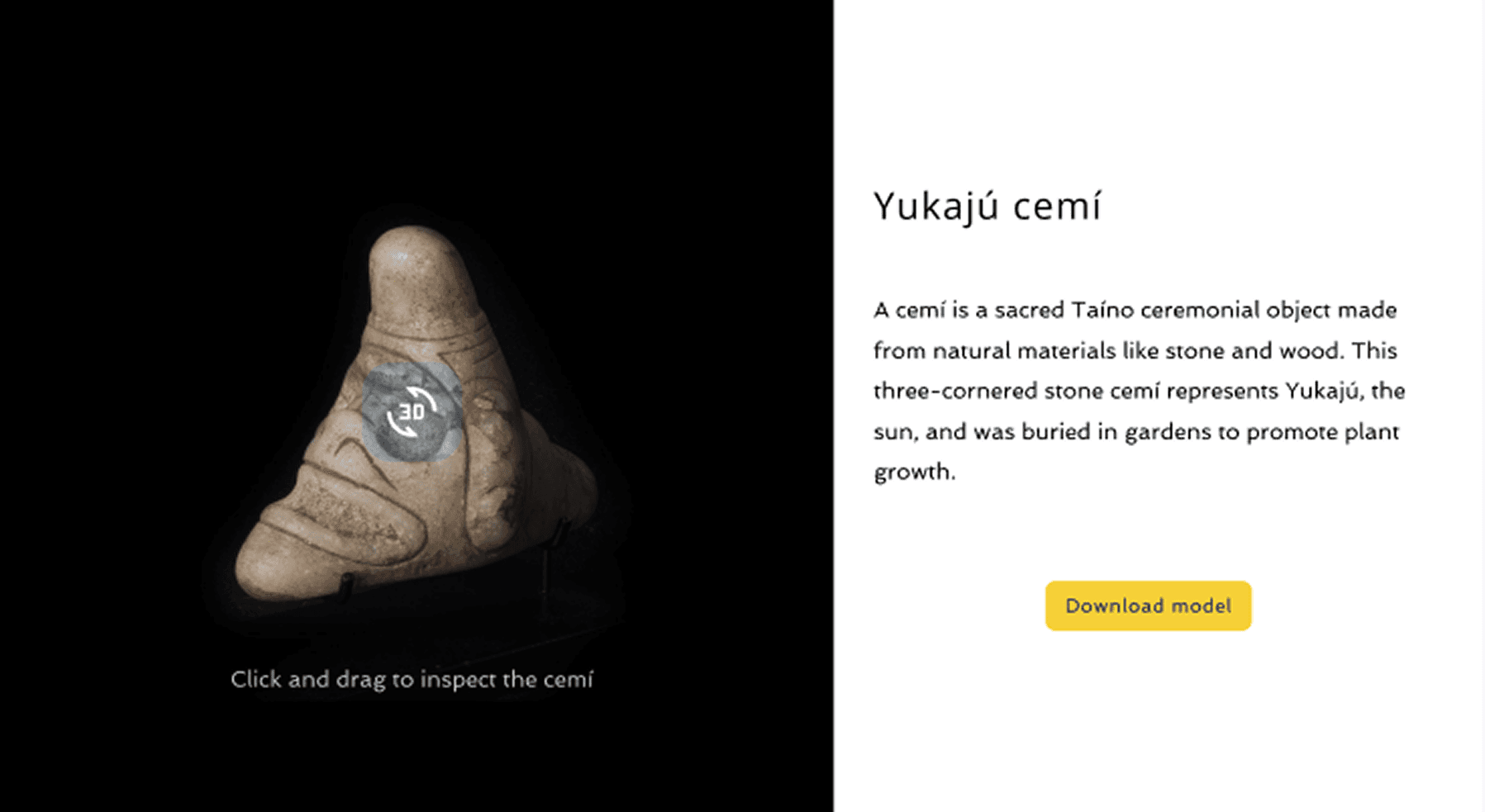
Two-column design

2
One-column design
3
New AR feature

4
I enjoyed the original 2-column design as it reminded me of museum plaques with an item pictured on one side and the description on the other side, so I wanted to keep this visual balance and placed the download button closer to the artifact.
Goal: Help users understand that the download button is related to the 3D model/ downloading 3D model
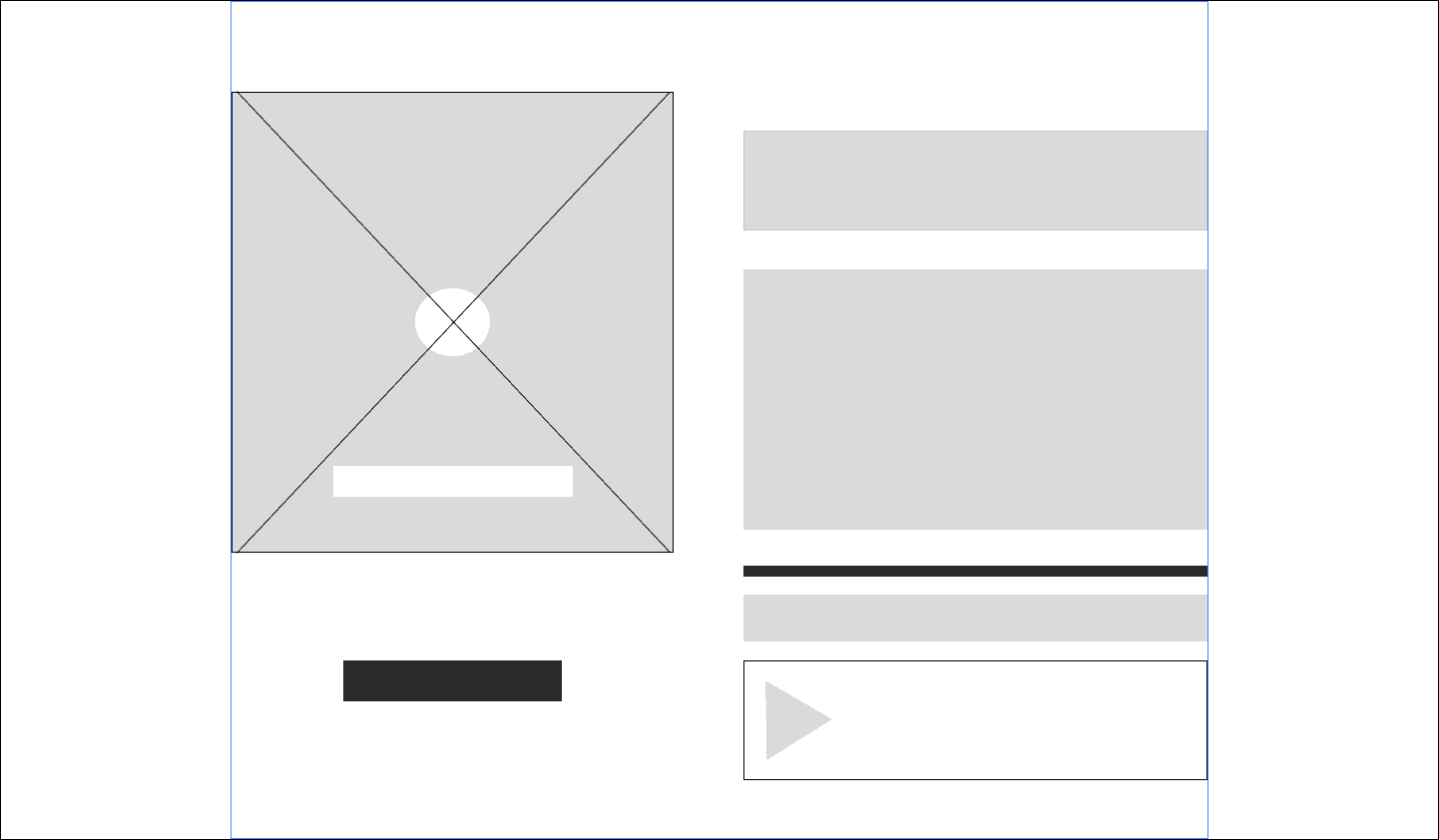
Download button placed outside & below 3D artifact area (gray box) in the same column to promote connection of the 2
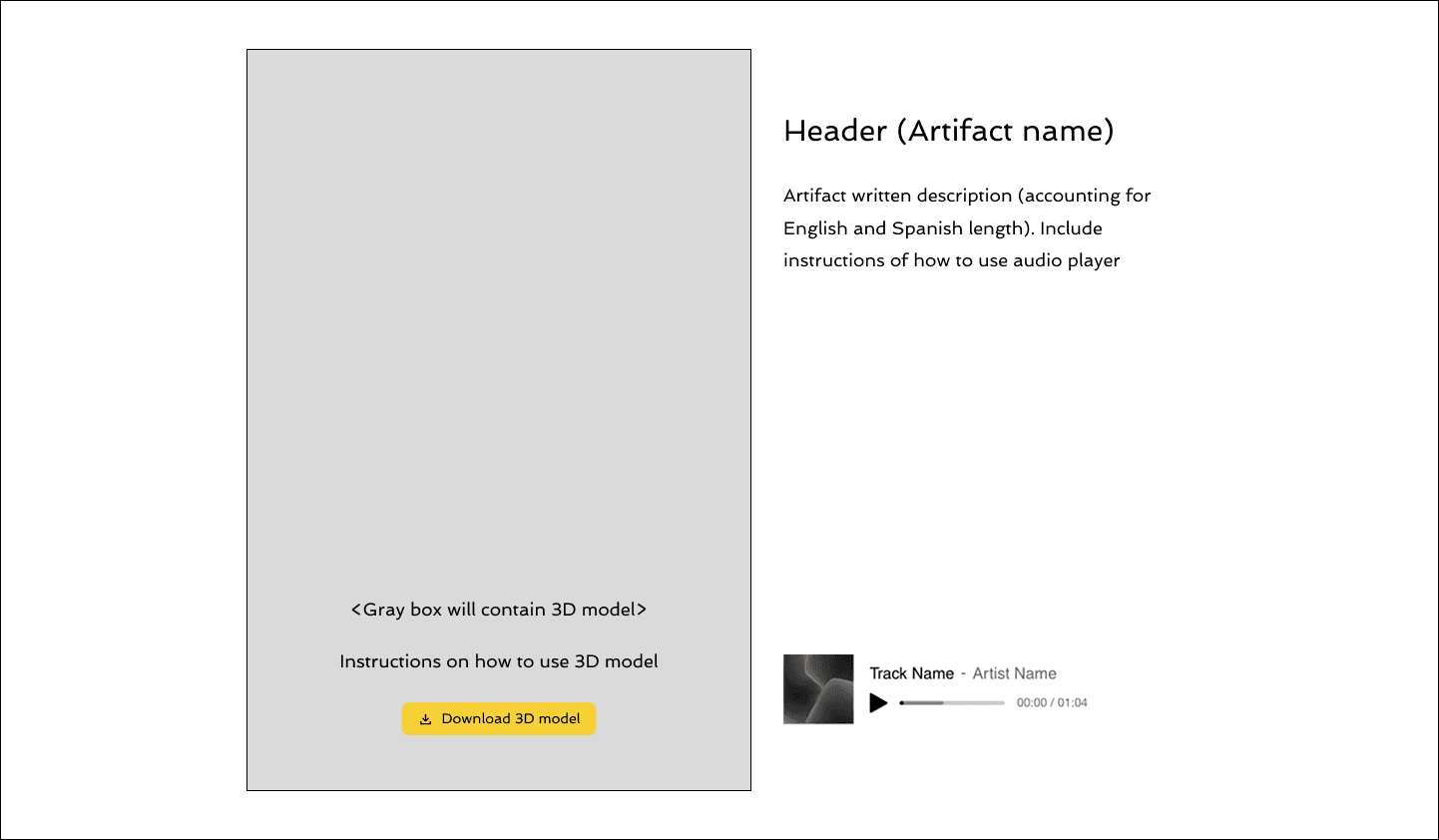
Enlarged 3D artifact section (gray box) to include download button below the artifact in the same section
With a new pronunciation button feature introduced, my team lead and I brainstormed a 1-column design to better group elements together from a top-down experience for better scanability.
This iteration introduced a gray background area section to separate all of the items related to the 3D object from the written content.
First time a mobile version design (see image on right) is introduced and will later influence future designs.
The client used Wix as a website builder and through playing with Wix, we realized the design had to live within specific margins in order for design to be responsive, so left and right margins are left white.
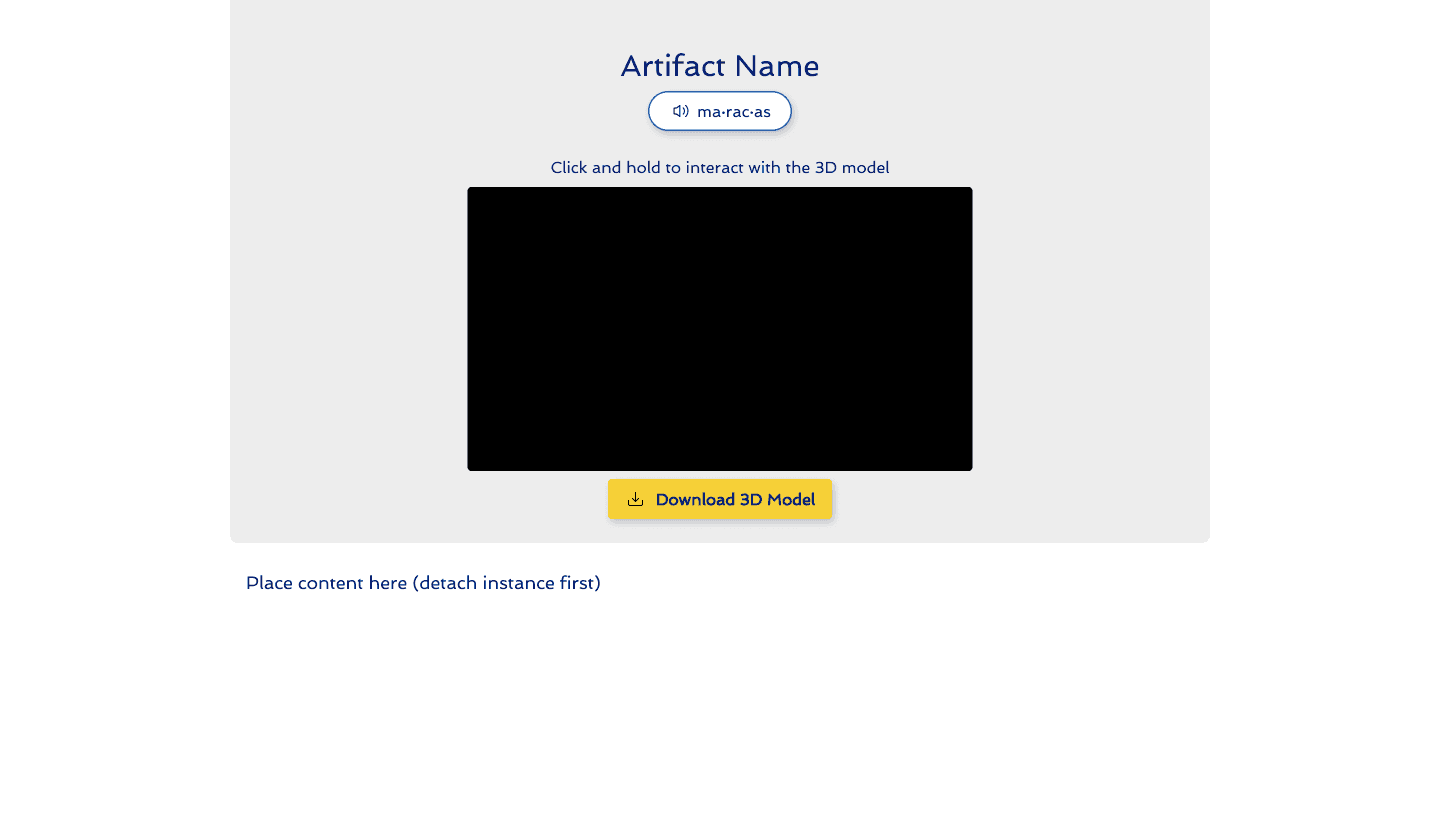
1-column design for desktop
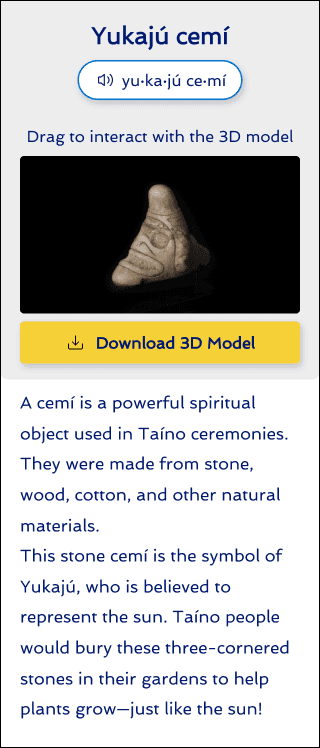
1-column design for mobile
Client requested a new design spec of adding an augmented reality (AR) component via QR code to the design, allowing users to view and place the 3D artifact in their real environment via their mobile device.
Using blue box as QR code placeholder, tested placement on
1-column design (see image on right).
Revisited the 2-column design as it offered more efficient usage of space & more visually balanced, so we tried different download button placements.
At the next team brainstorming session, we concluded that the download button directly under the 3D model provided the clearest relationship between the 2 elements & addressed usability test pain point of download button association.
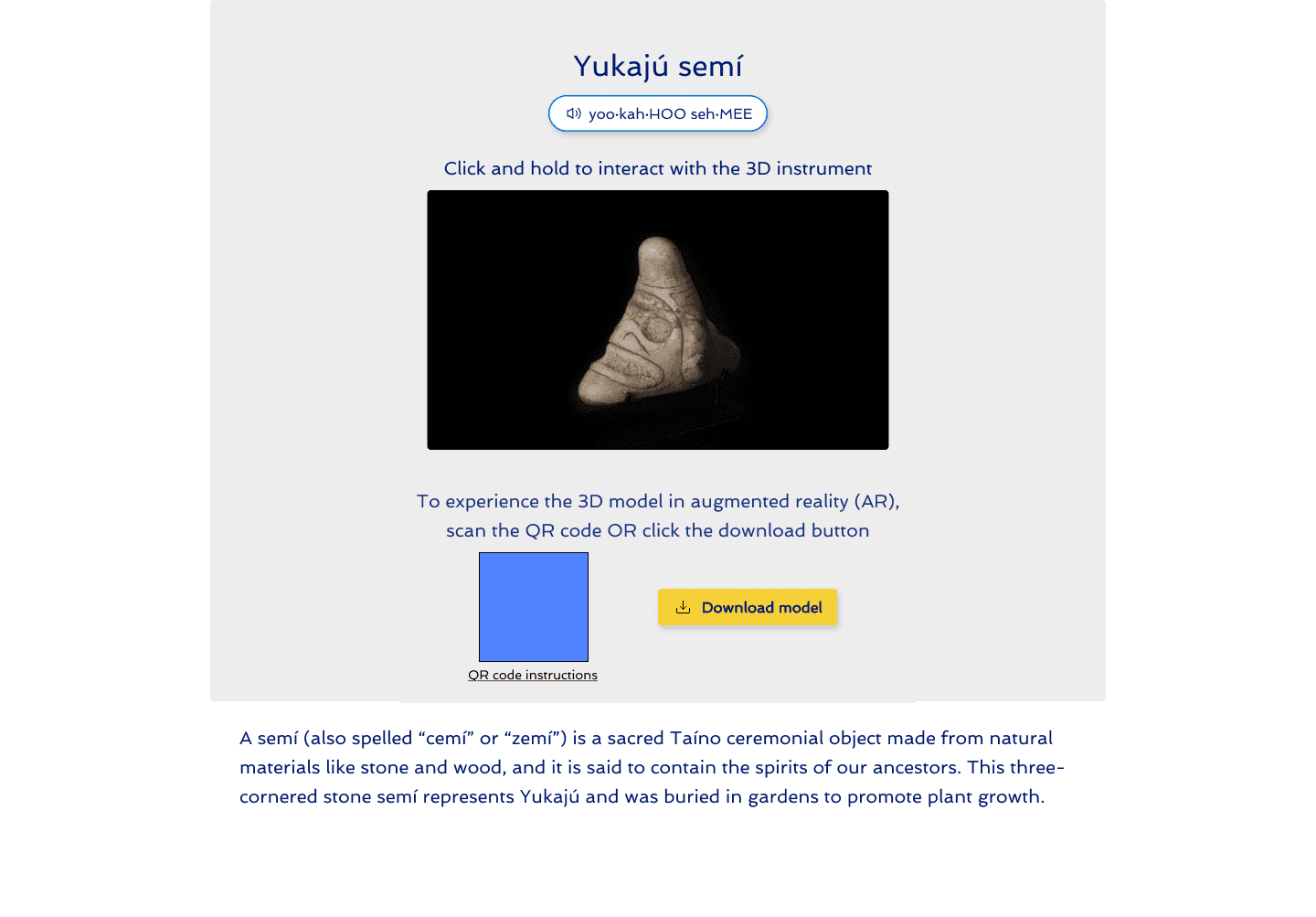
Testing QR code placement
(blue box) in 1-column design
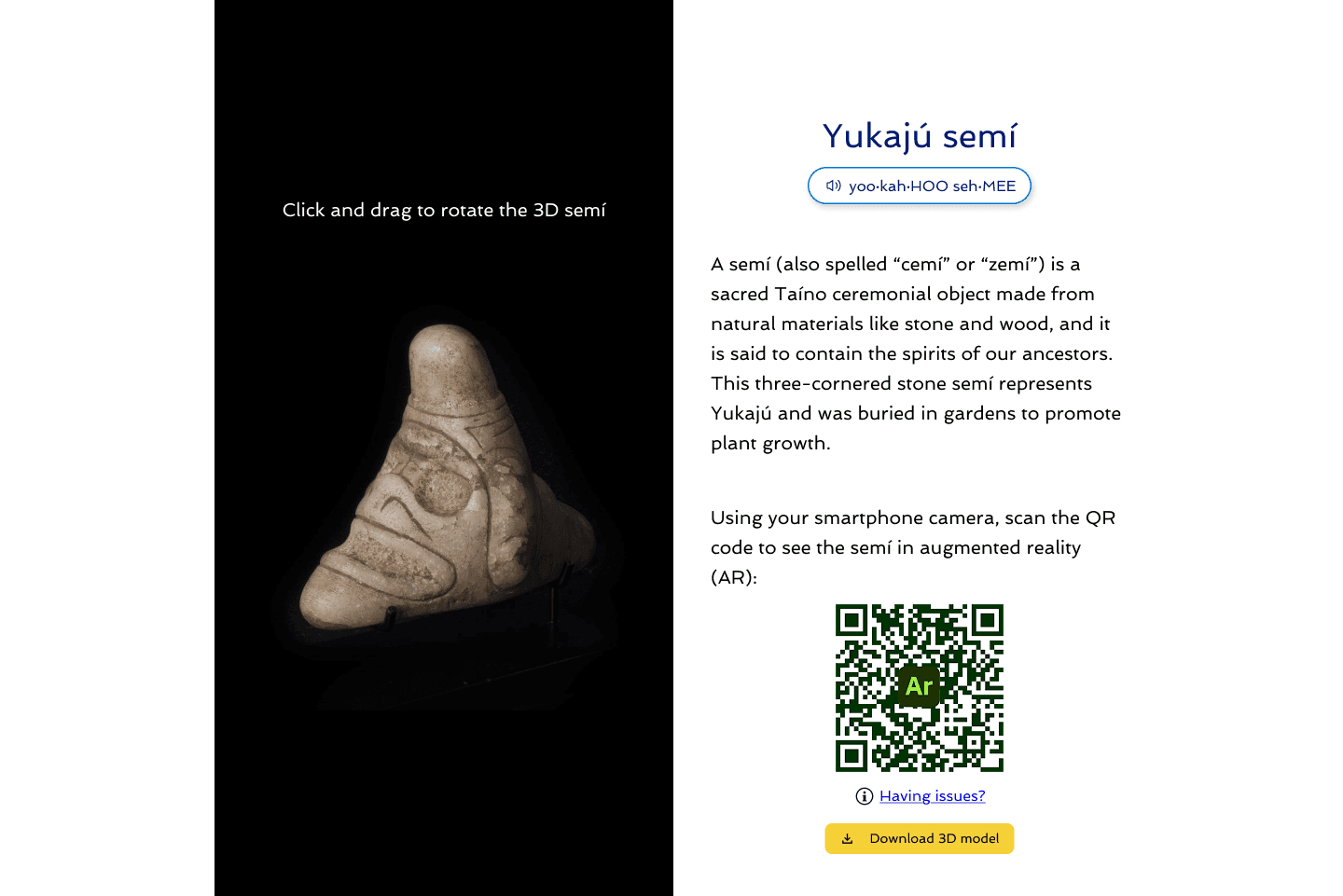
Download button under QR code
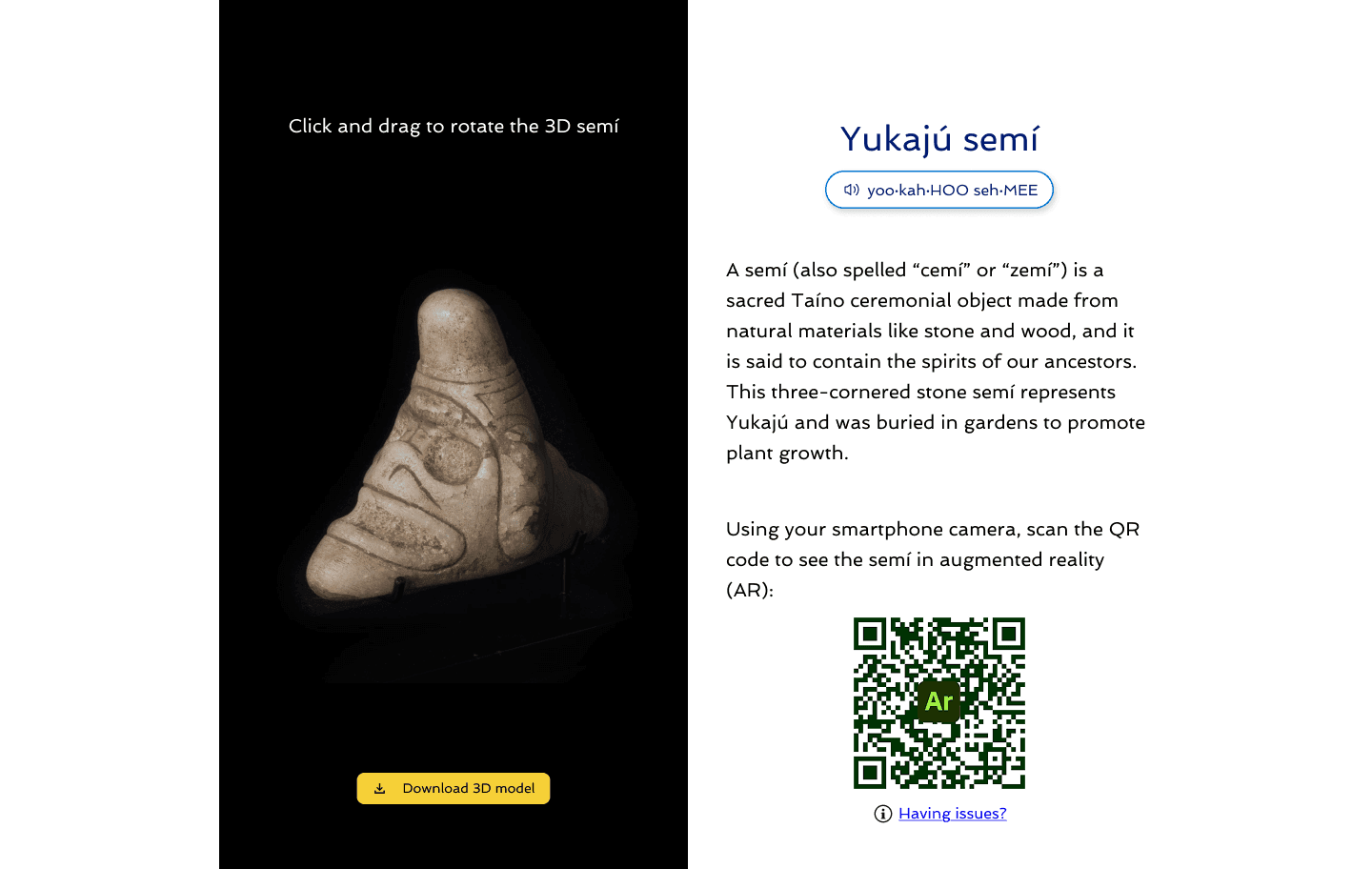
Download button under 3D art
My team co-lead noticed little visual separation between written content & AR portion, so she pitched creating a dedicated AR section with a header.
While on mobile, instead of QR code, we opted for a button.
Customer was using Wix as their platform, so found appropriate & compatible icon for button in Wix’s icon library to symbolize viewing in external platform.
For mobile, to match the 2-column desktop design, we removed the gray background for greater visual prominence of 3D art.
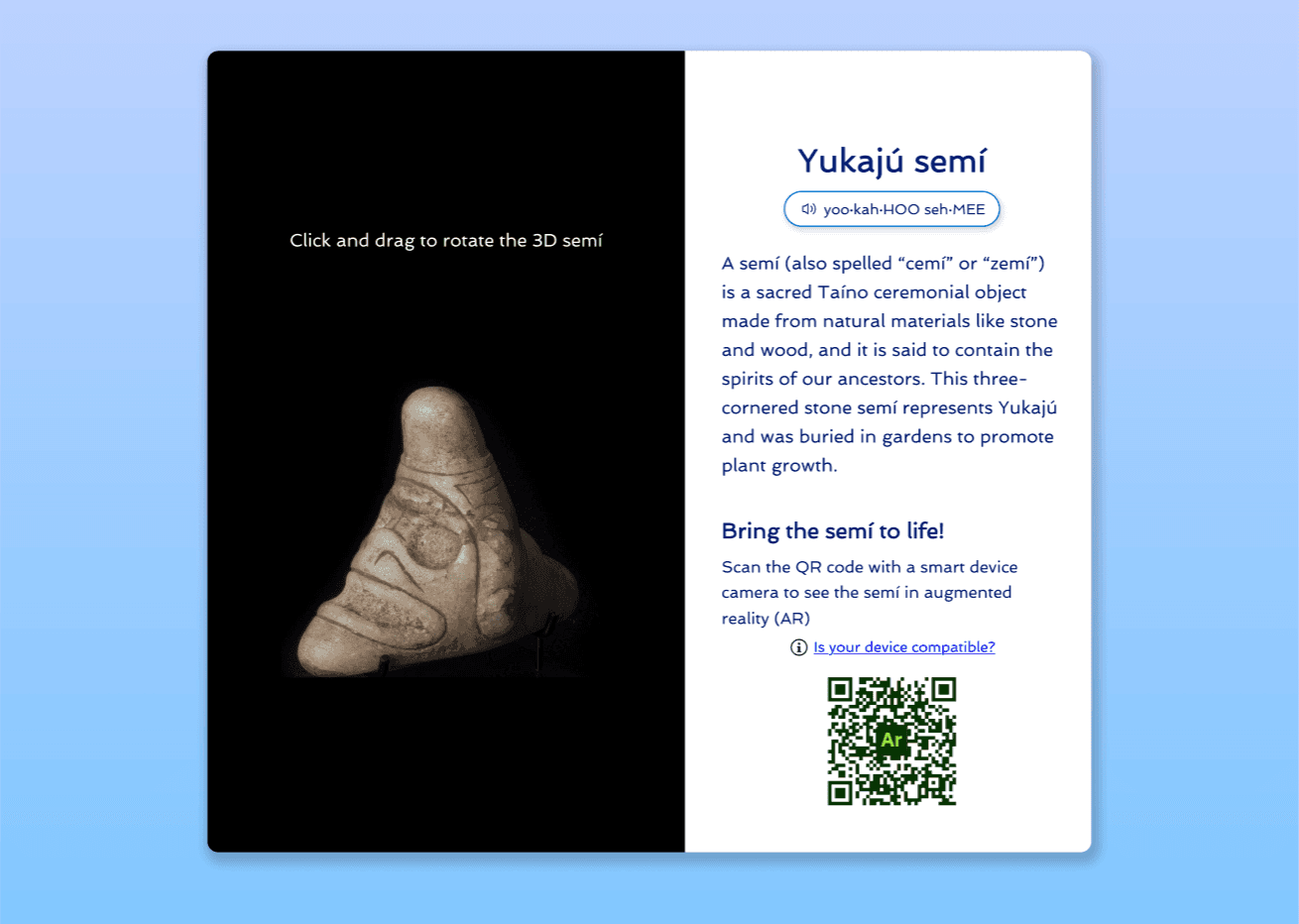
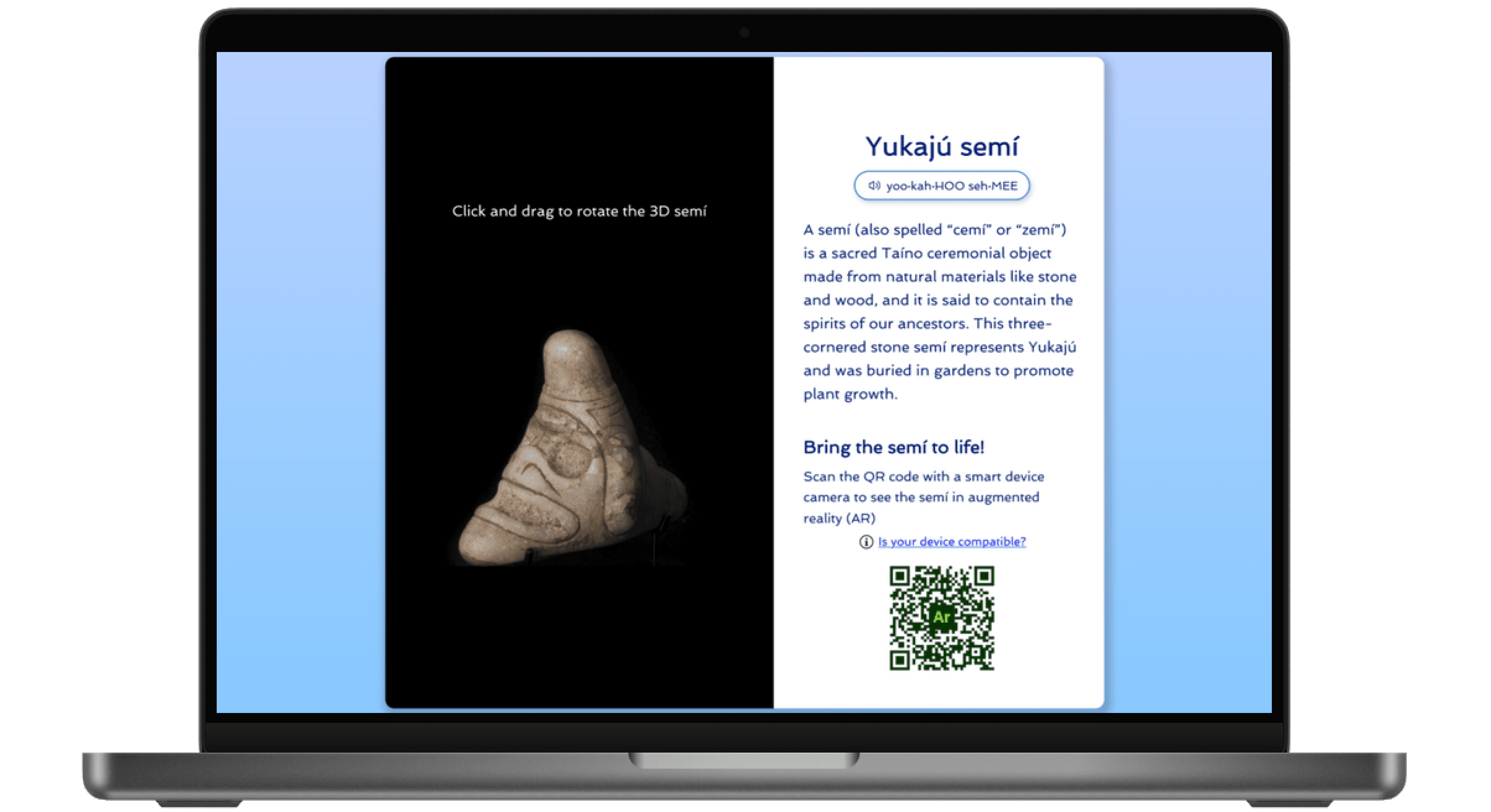
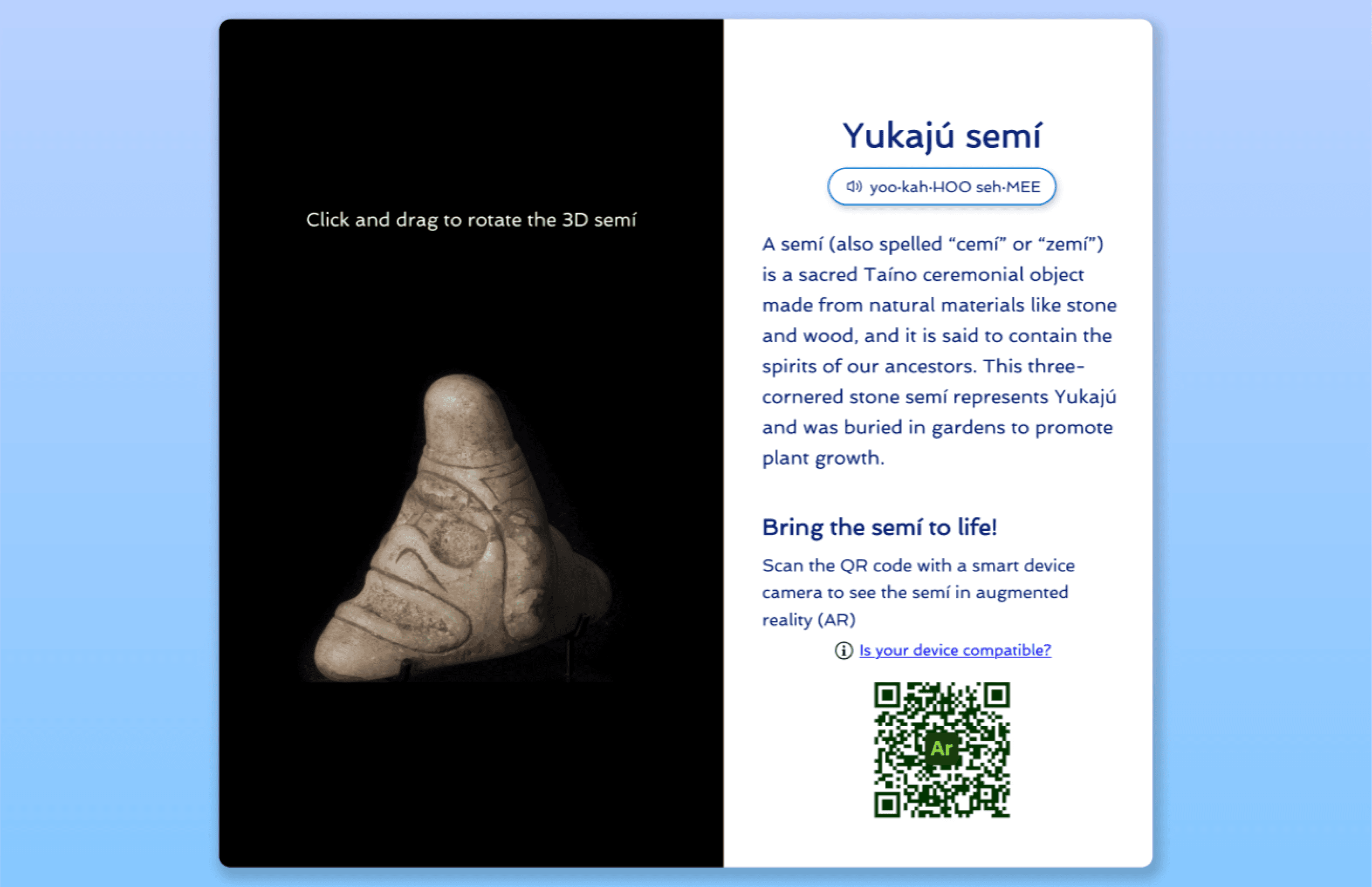
Final desktop design
Noticed “Having issues?” in relation to AR was placed below AR button that could be overlooked by users. Collaborated with UX Writers to rewrite copy into “Is your device compatible?” and place above AR button for higher visibility.
Linked help link to Adobe Aero’s support page for future-proofing experience and reduce client’s need to manually update device info
In client demo, client mentioned low usage of users downloading 3D art model due to niche 3D art file format. As a result, client decided to remove download function to FAQ page.
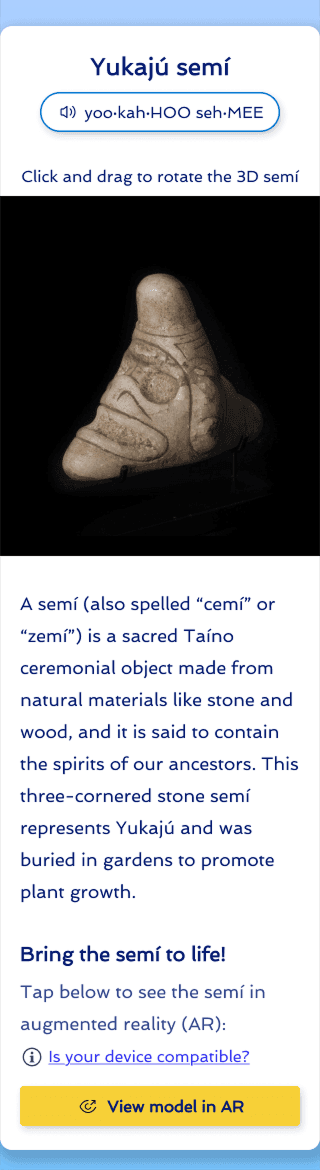
Final mobile design
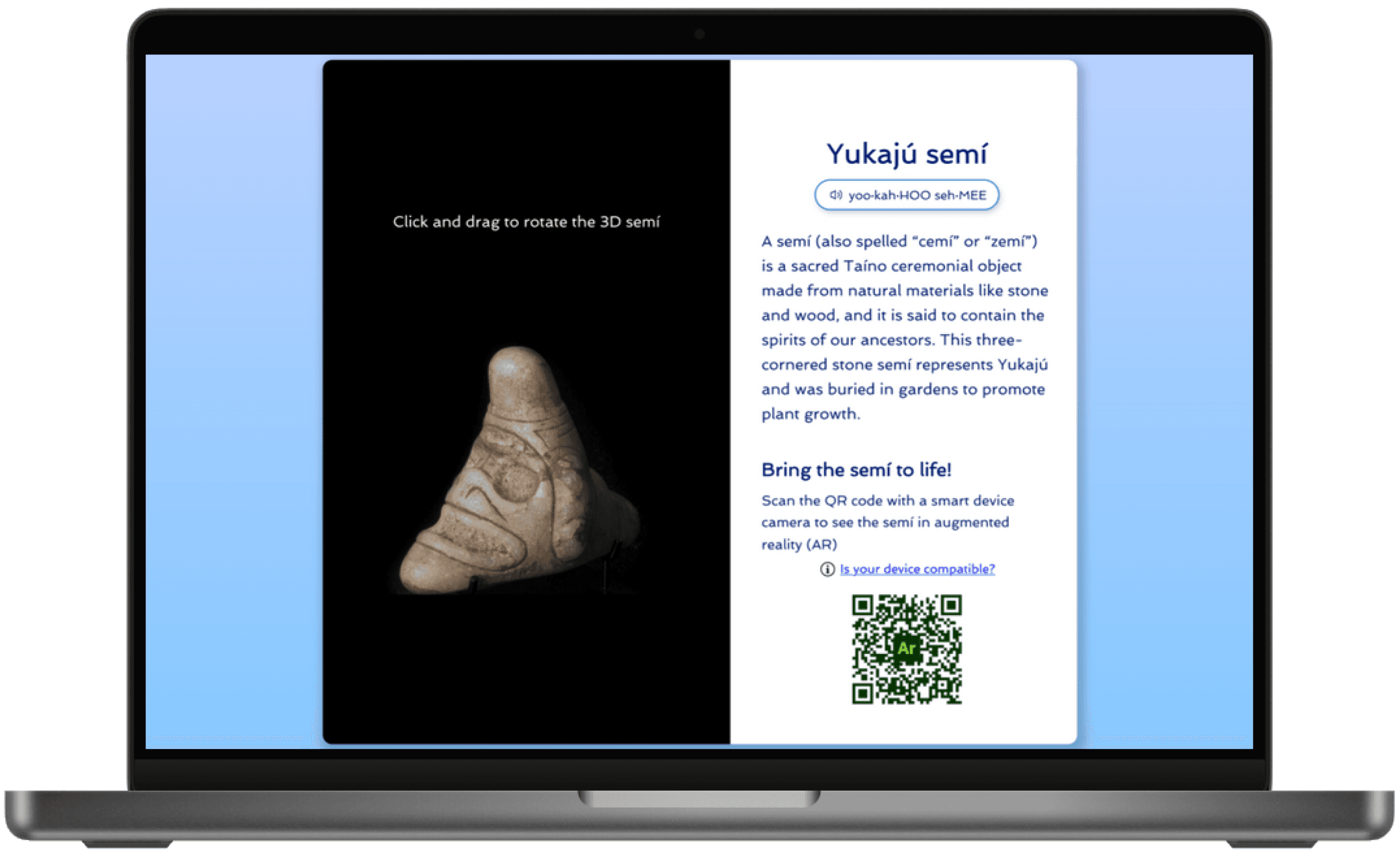
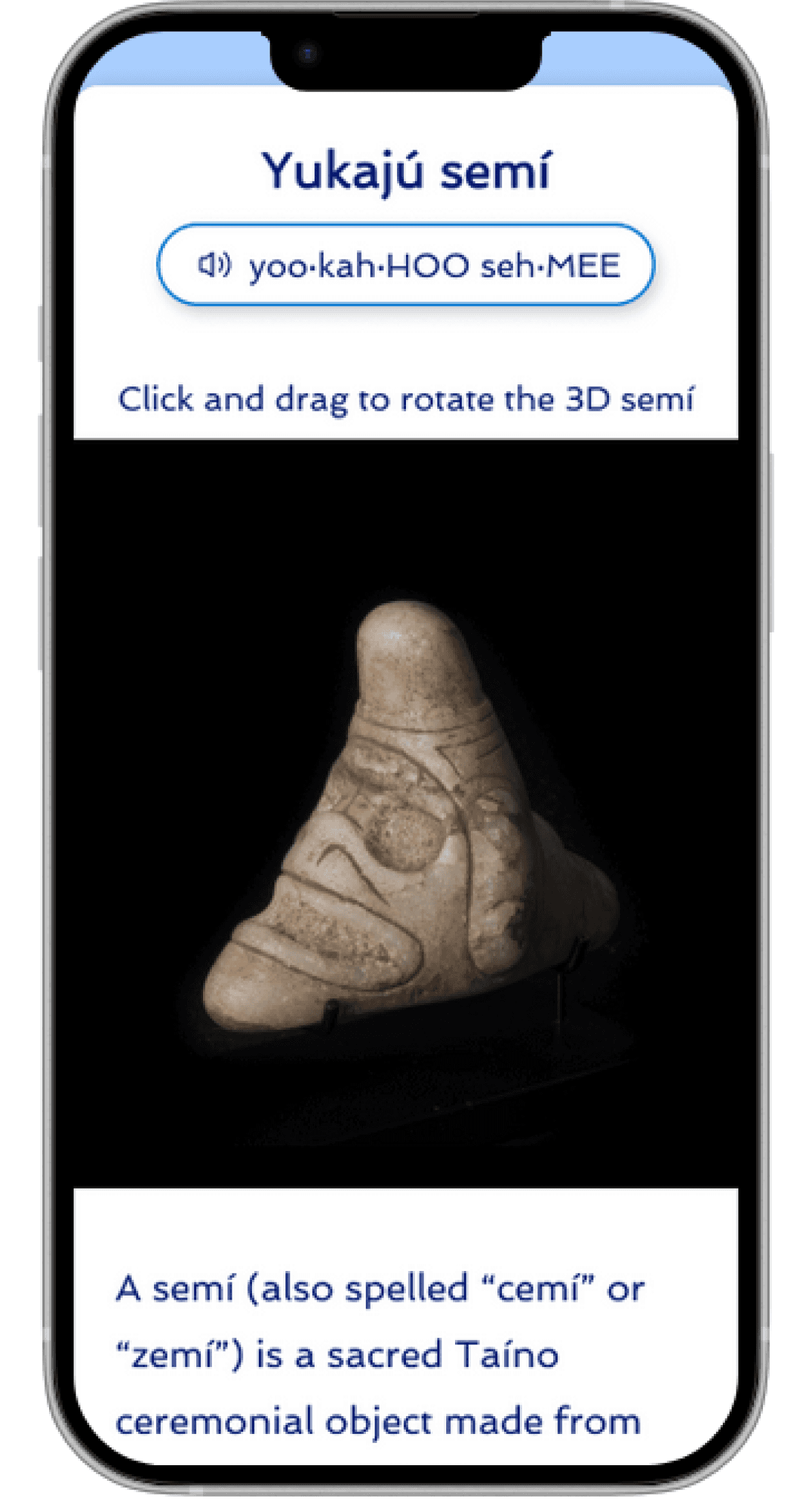
Reposition 3D model instructions to above the 3D model for greater visibility earlier in user flow to address user pain point.
Desktop adopted two-column design to accommodate AR feature and for a visually balanced structure.
Expanded black area holding 3D art to fill the entire screen's width to showcase 3D art & allow for more area to interact with model.
Linked help link to Adobe Aero’s support page for future-proofing experience and reduce client’s need to manually update device info
Final designs were live for the 2025 Taino World Conference and can be viewed at: tainoconference.org/kuba
This project reinforced the truly iterative nature of the design process, like how a one-column design was relevant again. It was insightful how earlier ideas resurfaced when new design specs, like the AR feature, were introduced.
I learned how usability testing and client needs must continuously inform design decisions.
For example, in the beginning, usability test findings guided the download button placement, but the feature was ultimately removed based on client feedback in later stages. This experience taught me to stay flexible and be ready for change.
As my first UX design apprenticeship, this experience made me appreciative of collaborative design, like how my team lead suggested creating a new header for greater separation from the AR section.
I also had the opportunity to collaborate with the UX Writing team. This partnership helped me understand how form and function evolve together by how written content can influence designs and vice versa.
From self-learning Figma, working on this project provided hands-on experience, learning through the process, and better understanding of creating developer handoff notes and annotations and how to communicate design with the development team.